
OneXray · by Yuan Dev LLC

Your servers.Your routing.

An open-source Xray-core client for your phone, tablet, and desktop. Start with Smart Routing, make your own rules, or use a complete Raw JSON configuration.

  • No account
  • No ads
  • No analytics

Bring your own servers. OneXray does not provide VPN access, servers, or subscriptions.

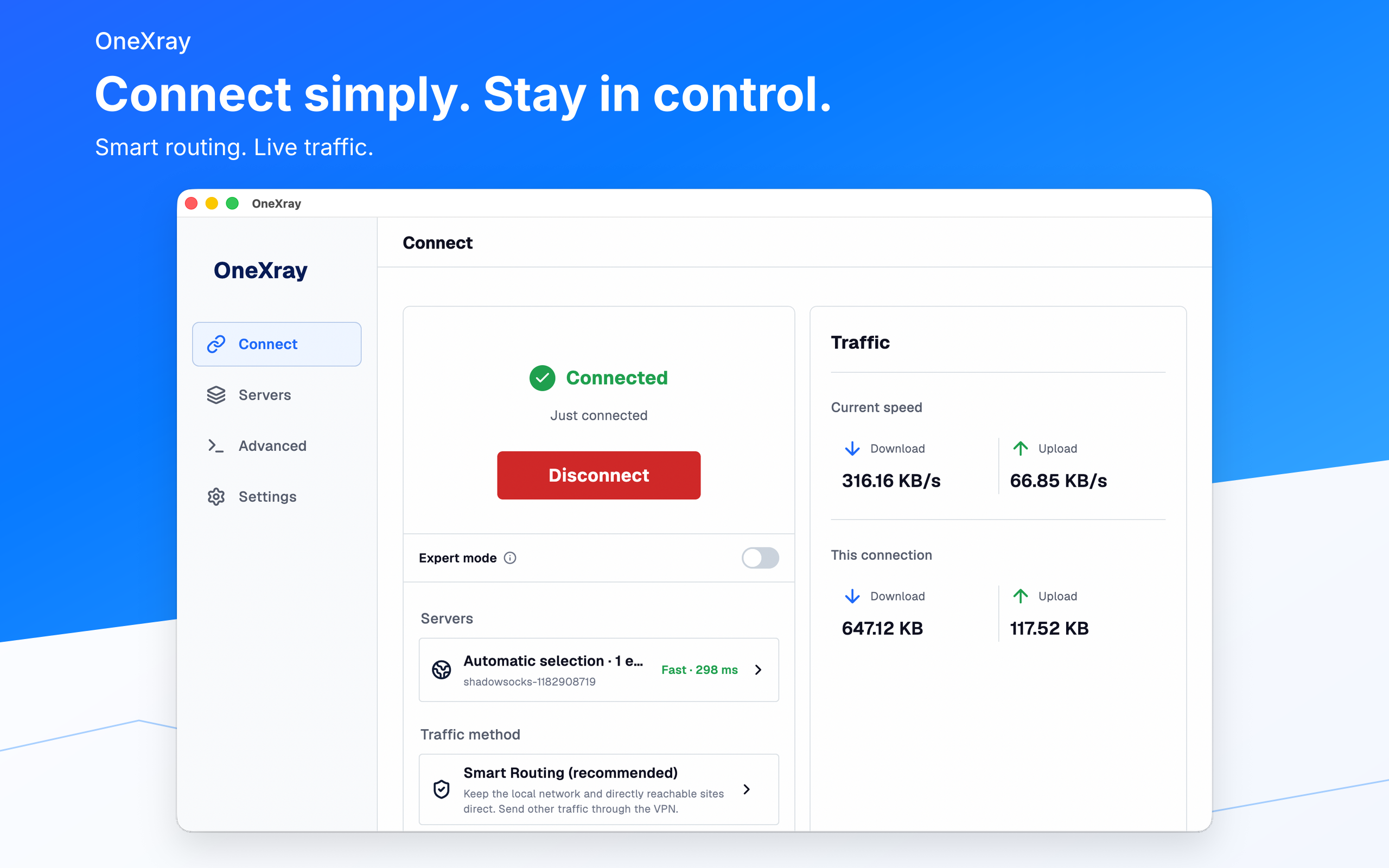
OneXray on macOS showing server selection, Smart Routing, live speeds, and current-connection traffic.
OneXray on macOS. The same four destinations on every device: Connect, Servers, Advanced, and Settings.

Meet OneXray

Start simply. Keep the control.

Connect with Smart Routing

Choose servers automatically, from a subscription or location, or one at a time. Decide which traffic stays direct.

  • A direct region, local networks, and Apple or Microsoft services
  • Optional ad blocking
  • 1–3 entry servers with load balancing and an optional final exit

Keep your servers organized

Browse subscriptions and locations with latency and protocol labels. Edit, share, and remove servers and subscriptions.

  • Share links and Xray JSON nodes
  • HTTPS subscriptions with optional age encryption
  • Queued latency tests and scheduled subscription updates

Write your own rules

Custom Routing keeps your traffic rules separate from your server selection, so you can use and share them independently.

  • Domain, IP, port, and network conditions
  • Direct, VPN, or block actions
  • GeoData suggestions, import, and sharing

Use complete Raw JSON

Expert mode provides a selector and editor for complete configurations. OneXray still manages the tunnel and related runtime settings.

  • Edit, import, and share complete configurations
  • Keep ordinary server and routing choices when switching modes
  • Inspect the configuration generated for the connection

Across platforms

At home on your devices.

iPhone & iPad

App Store · iOS / iPadOS 15+

Wi-Fi on-demand rules and cellular-network behavior.

Mac

App Store or OneXraySE · macOS 13+

Wi-Fi and Ethernet rules, system VPN, and tray controls.

Android

Google Play or APK · Android 10+

Per-app VPN with icons and separate include/exclude lists.

Windows

winget, ZIP, or Microsoft Store

Standalone EXE/ZIP or MSIX system VPN, with explicit outbound-interface selection.

Linux

DEB or ZIP · x86_64 and arm64

Outbound-interface selection and desktop tray controls.

System theme and language by default. English, Simplified and Traditional Chinese, Russian, and Persian.

Compare installation options and requirements

Privacy

Your configuration stays yours.

OneXray has no advertising or analytics services. Configurations stay on your device unless you share them. Servers, DNS, subscription sources, updates, and connectivity tests make the network requests needed for their functions.

Read the OneXray privacy policy